Privacy
Gety is built on a simple principle: your files are yours, and they should never leave your computer without your knowledge.
Your files stay on your computer
All of Gety's core operations — indexing, full-text search, semantic search, and OCR — run entirely on your machine. There is no cloud server, no account required, and no data uploaded anywhere.
- Indexing happens locally. Gety reads your documents, PDFs, spreadsheets, and images on your own disk.
- Search happens locally. Every query is processed on your computer and never sent to an external service.
- OCR happens locally. Text recognition for scanned documents and images uses Gety's built-in engine — no third-party API, no image uploads.
Your search index is stored in a local database on your machine. Gety does not phone home, sync to the cloud, or share usage data.
AI integration: you stay in control
When you connect an AI tool to Gety, a natural question arises: does my data get sent somewhere?
Here's how it works — and how it's different from uploading files to an online AI tool:
| Online AI tools | Gety | |
|---|---|---|
| What you send | Upload entire files | Only the relevant snippets from search results |
| Where data goes | The AI provider's cloud servers | Directly to the AI tool you chose — Gety itself stores nothing externally |
| What you control | Usually nothing after upload | In Ask every time mode, review every snippet before it's shared |
When an AI tool asks Gety for context, Gety searches your local files and returns only the most relevant snippets — not your entire documents, not your entire disk.
The first time you connect an AI tool, Gety asks how you want to handle data sharing:
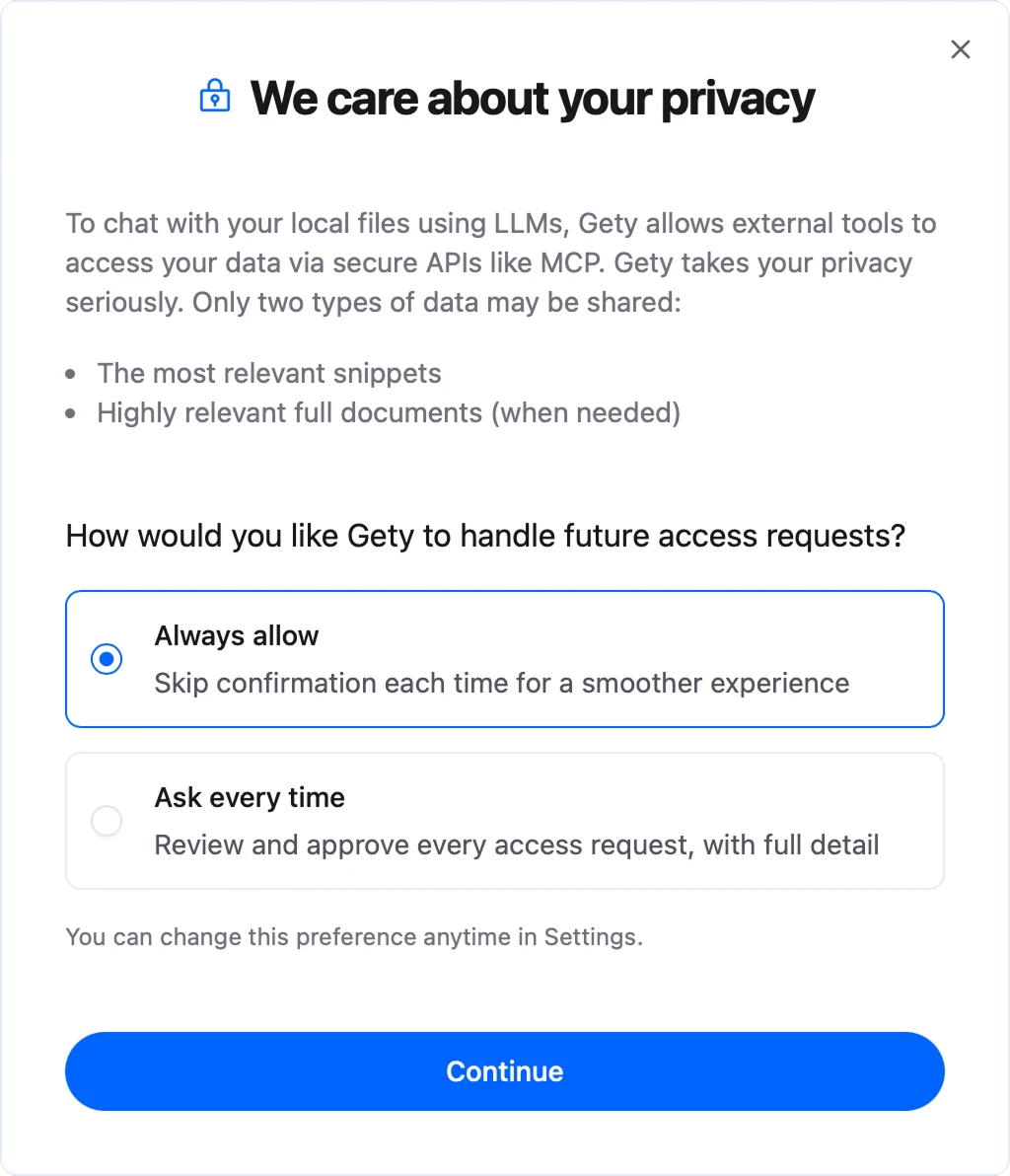
In Ask every time mode, a system notification appears each time an AI tool requests content. Click Allow to share the snippets, or Don't allow to block the request:

You can change your preference anytime in Gety → Settings → AI Integrations.