API
Gety exposes a REST API for programmatic search. Use it to build custom integrations, connect AI agents, or call Gety from scripts.
Set up
- Open Gety → Settings → AI Integrations and click API under More Options
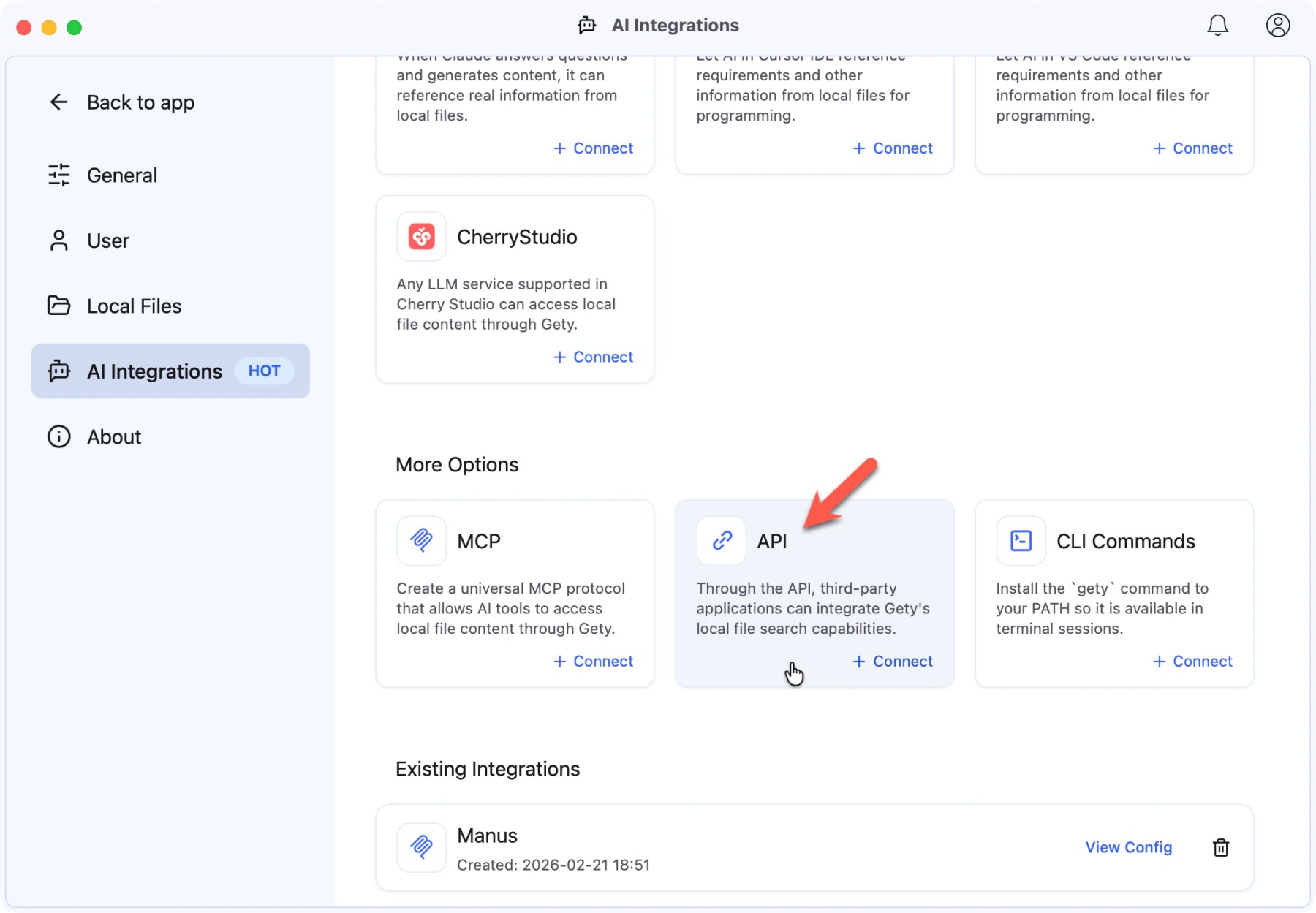 Gety → Settings → AI Integrations: click API under More Options
- Enter a name for your integration and click Create
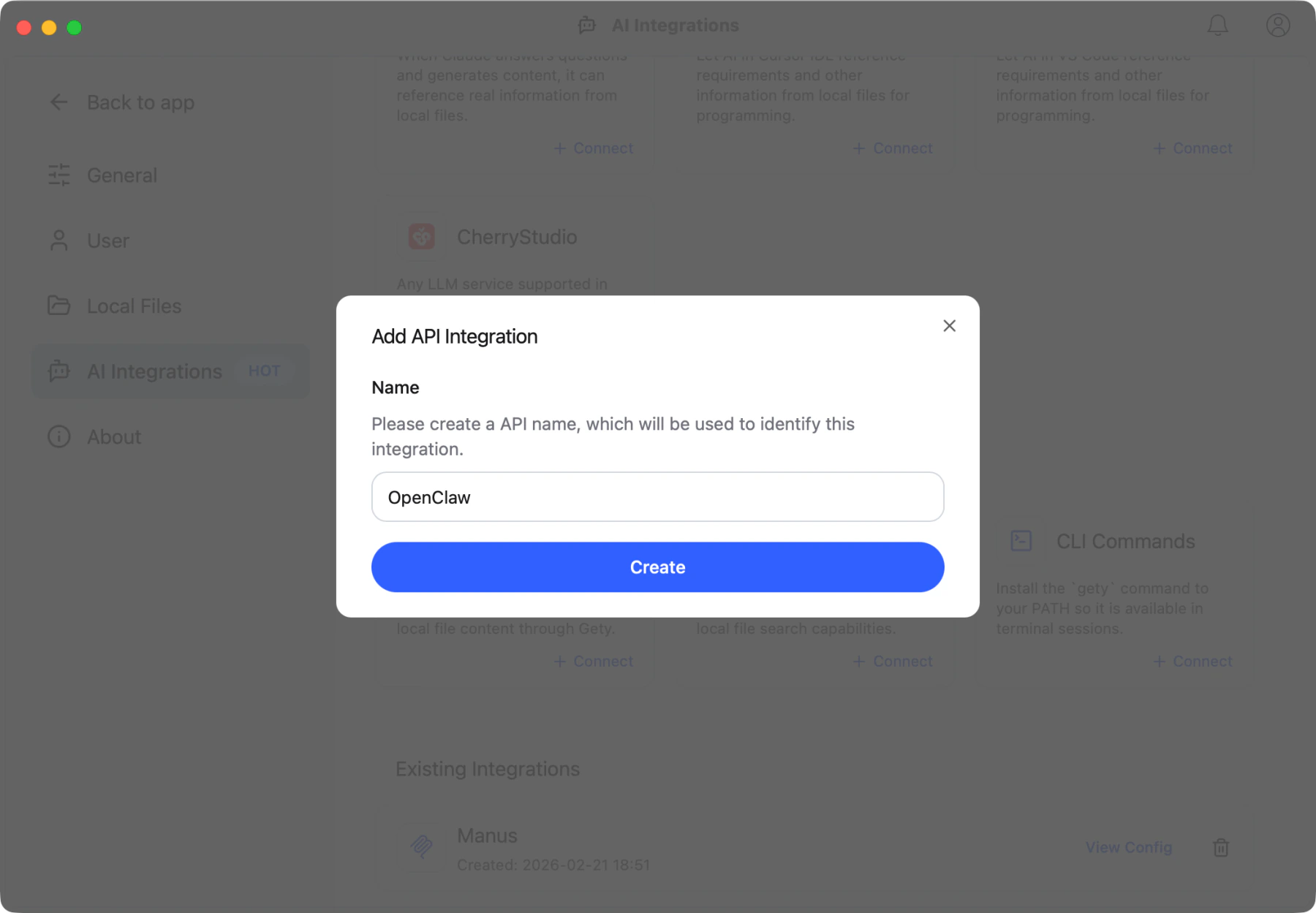 Give your integration a name — this helps you identify it later
- Gety generates your API documentation. You can browse the endpoints to find what you need, or click Copy All to copy the full documentation and hand it to your coding agent to start building.
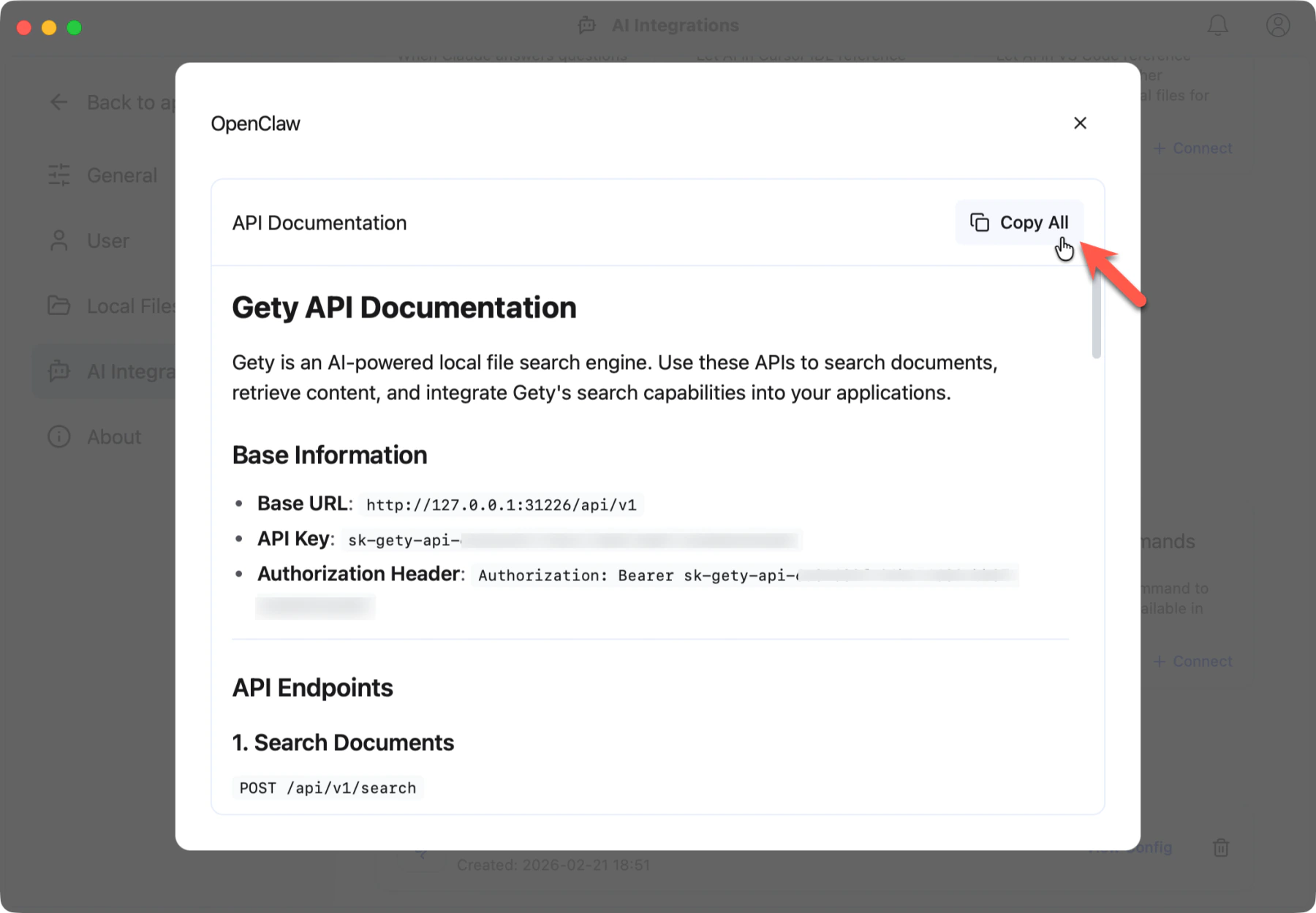 Your API documentation — click Copy All to copy everything
Quick start
Search your files with a single request:
curl -X POST "http://127.0.0.1:31226/api/v1/search" \
  -H "Content-Type: application/json" \
  -H "Authorization: Bearer YOUR_API_KEY" \
  -d '{"query": "meeting notes", "limit": 10}'
Copy the full API documentation and paste it into your agent's conversation. Two ways to use it:
- Direct use — tell the agent to call the API on your behalf: "This is my Gety search API. Use it whenever I ask you to search for files."
- Build with it — let a coding agent integrate Gety into your application: "Here's the Gety API docs. Build a search feature that queries my local files."
Either way, the agent has everything it needs to get started.
Authentication
All requests require a Bearer token in the Authorization header:
Authorization: Bearer sk-gety-api-xxxxx
Each integration gets its own API key. You can create multiple integrations in Gety → Settings → AI Integrations.
Endpoints
Search documents
POST /api/v1/search
Search across all indexed files.
Request body:
| Parameter | Type | Required | Default | Description |
|---|---|---|---|---|
query | string | yes | — | Search text. Use keyword-based queries for best results. |
limit | number | no | 10 | Maximum number of results |
semantic_search | boolean | no | true | Enable semantic search for contextual understanding, or disable for exact keyword matching |
connector_names_filter | string[] | no | all | Filter by connector names (e.g. ["Folder: Documents"]) |
update_time_filter | object | no | — | Filter by time range. Use from and to fields in ISO 8601 format |
sort_by | string | no | "default" | "default" (relevance) or "update_time" |
sort_order | string | no | "descending" | "ascending" or "descending" |
Example:
curl -X POST "http://127.0.0.1:31226/api/v1/search" \
  -H "Content-Type: application/json" \
  -H "Authorization: Bearer YOUR_API_KEY" \
  -d '{
    "query": "quarterly budget report",
    "limit": 5,
    "semantic_search": true
  }'
Get document
GET /api/v1/connectors/{connector_id}/docs/{doc_id}
Retrieve the full content of a specific document. Use connector_id and doc_id from search results.
Example:
curl "http://127.0.0.1:31226/api/v1/connectors/CONNECTOR_ID/docs/DOC_ID" \
  -H "Authorization: Bearer YOUR_API_KEY"
Download original file
GET /api/v1/connectors/{connector_id}/docs/{doc_id}/file
Download the raw file bytes for a document.
Example:
curl "http://127.0.0.1:31226/api/v1/connectors/CONNECTOR_ID/docs/DOC_ID/file" \
  -H "Authorization: Bearer YOUR_API_KEY" \
  -o downloaded-file.pdf
List connectors
GET /api/v1/connectors
List all available connectors (indexed folders and data sources).
Example:
curl "http://127.0.0.1:31226/api/v1/connectors" \
  -H "Authorization: Bearer YOUR_API_KEY"
Error codes
| Code | Meaning |
|---|---|
UNAUTHORIZED | Invalid or missing API key |
REQUEST_VALIDATION_FAILED | Invalid request parameters |
RESOURCE_NOT_FOUND | Document or connector not found |
QUOTA_EXCEEDED | Free plan monthly limit reached; see FAQ: Free plan and Pro |
DATA_SHARING_DECLINED | User declined the data sharing prompt |
INTERNAL_ERROR | Server error |