Skills
Skills are reusable capabilities that extend what AI agents can do. Install Gety skills to let agents like Claude Code, Cursor, and Codex search your local files using natural language.
Available skills
| Skill | Description |
|---|---|
| gety-cli | Search and retrieve local documents via Gety CLI |
Install
Run in your terminal:
npx skills add gety-ai/gety-skills
The installer lists all available skills from the repository, then lets you choose which agents to install them to.
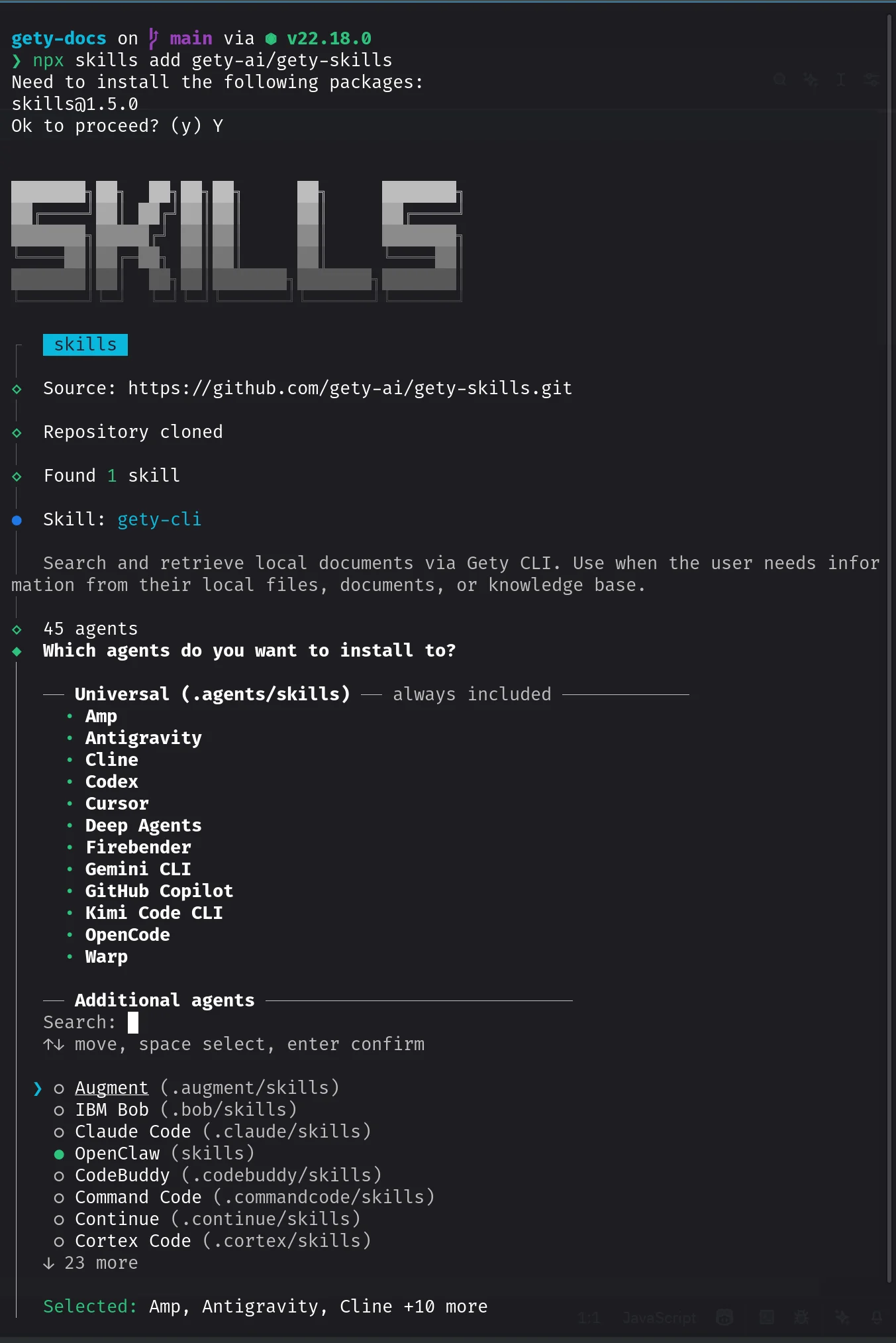 Select which agents to install Gety skills to
npx is included with Node.js. If your terminal cannot find npx, install Node.js first.
gety-cli
The gety-cli skill translates your natural language queries into Gety CLI commands, runs them, and returns a synthesized answer with source citations.
Prerequisites
-
Gety is running with at least one folder indexed
-
Enable CLI Commands in Gety:
- Open Gety → Settings → AI Integrations
- Under More Options, click CLI Commands
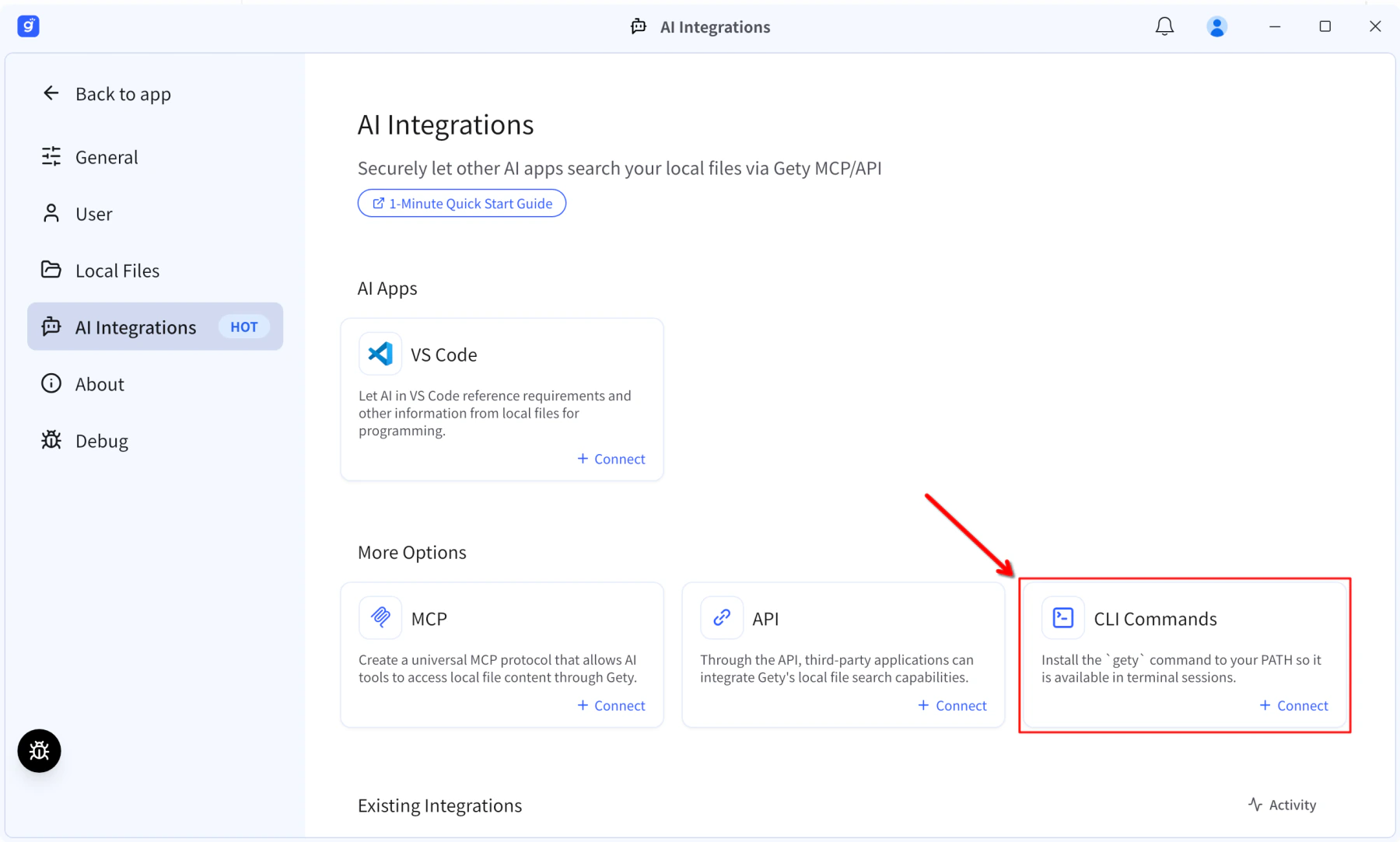 Gety → Settings → AI Integrations: click CLI Commands under More Options
After enabling CLI Commands, close and reopen your terminal for the PATH change to take effect.
Usage
Invoke /gety-cli followed by a natural language query in your agent:
/gety-cli What docx files have I updated in the last 24 hours?
/gety-cli Find meeting notes about the Q1 roadmap
/gety-cli Search for PDF documents related to security review in my Work folder
/gety-cli What data sources do I have connected?
/gety-cli Add ~/Documents/projects as a data source
Tips
- Gety must stay running in the background for the skill to work
- For full CLI command reference, see CLI